
Introducing Service Level Objectives (SLOs) in Bronto
David Valentine
Senior Software Engineer
Some services are business-critical where downtime results in direct losses in revenue, while others can fail and go unnoticed for hours or days. With Service Level Objectives (SLOs), teams can set performance goals for each service and track reliability over time.
We are excited to announce that Service Level Indicators (SLIs) and Service Level Objectives (SLOs) are now live in Bronto for all customers. Since Bronto retains traces hot for 12 months, once you set an objective for a service, you will automatically see historical performance. Set realistic targets and prioritize reliability improvements with full context from day one.
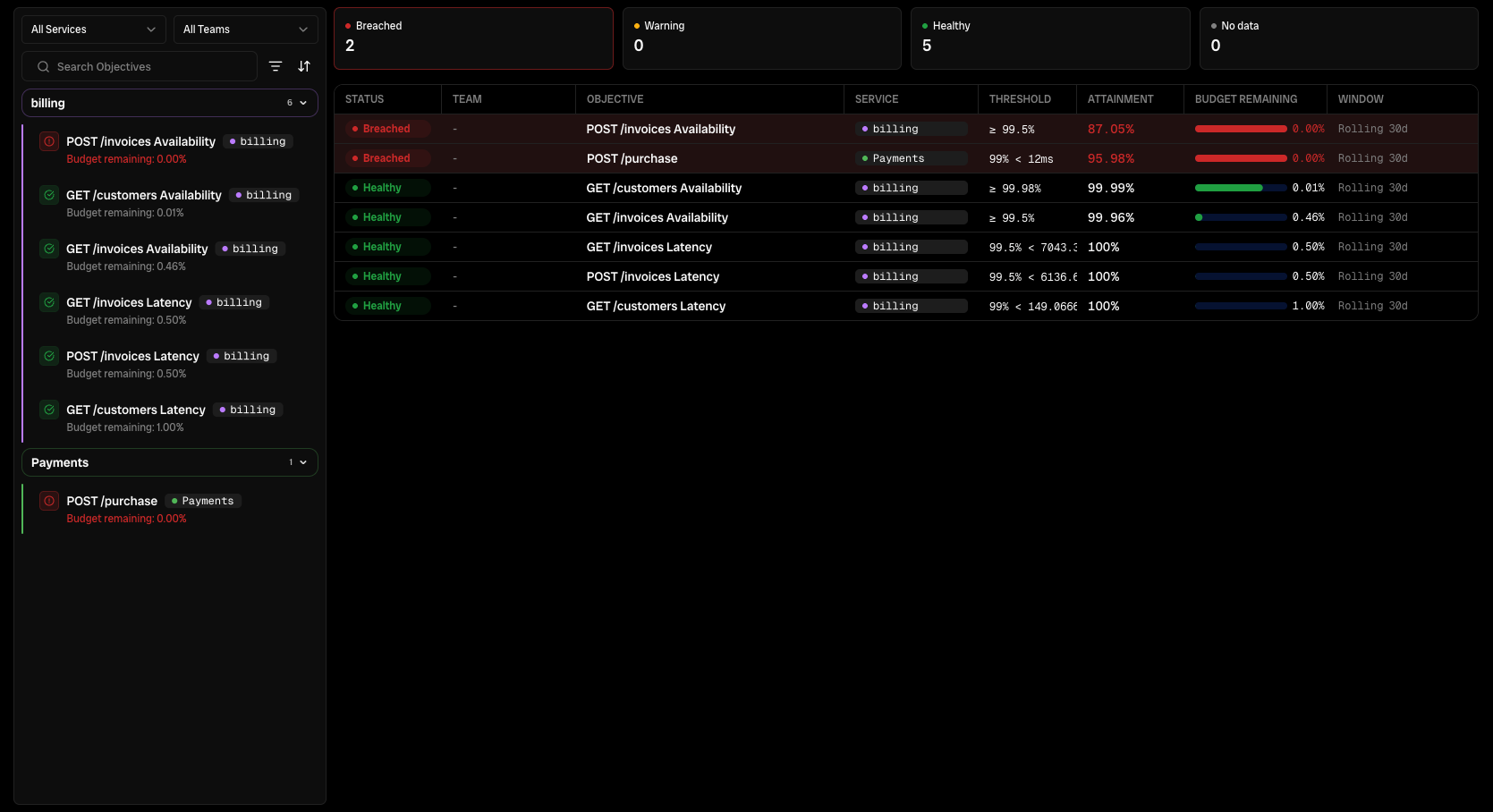
With this new feature, Bronto users gain an intuitive way to measure the reliability of their services. In this post, we’ll outline the SLO experience in Bronto and share some of the places that we simplified the process.
But first…
What are SLOs and SLIs exactly?
At their core, Service Level Indicators (SLIs) are measurements for how a given service performs over a period of time, and Service Level Objectives (SLOs) are the performance goals that you want the service to achieve at a minimum.
Bronto offers two types of indicators:
Availability: what percentage of requests are handled successfully?
Latency: what percentage of requests complete within a defined period of time?
Utilizing SLOs to Improve System Reliability
SLOs and SLIs play an important role in optimizing system performance. With these metrics and goals, teams gain structure for things like:
Tracking and reporting over time – A new feature is deployed and suddenly you feel like you’re getting woken up more often by pages? SLOs allow you to view trends in your system, so you can see how new features and fixes improve or disrupt your experience.
Prioritizing reliability improvements – Every SLO comes with an error budget: the amount of unreliability a service can absorb before it misses its target. A 99.9% availability SLO, for example, leaves a 0.1% error budget. Many SREs use error budgets to prioritize reliability and resilience work, focusing on the services that are burning through their budget faster than expected.
Compliance with Service Level Agreements (SLAs) – Many SaaS providers guarantee a minimum availability threshold as part of their contracts with Service Level Agreements (SLAs). These are extremely difficult to track or enforce without SLIs in place. By connecting alerts with SLOs, you can proactively detect issues before compliance breaches occur.
One important caveat - the volume of requests directly influences the SLI level. For example, one failing request to a service that has ten total requests served over a period of time indicates a 90% availability level, whereas one failing request to a service that has served 100,000 requests over the same period indicates a 99.999% availability level (or the infamous five 9’s).
Creating SLOs and SLIs with Tracing Data
In Bronto, users can create SLOs and SLIs using information collected from their tracing data over defined periods of time, either as rolling windows (7 days, 28 days, 30 days) or by using calendar dates (monthly or quarterly).
Not sure where to start? We designed a capability into our SLO feature that allows you to add new SLOs to your system in a couple clicks.
Bronto automatically analyzes your tracing data to identify services and endpoints in your system and suggest SLOs and SLIs where they’re most needed! Click “Find Candidates” and you’ll see a list of prioritized SLO recommendations.
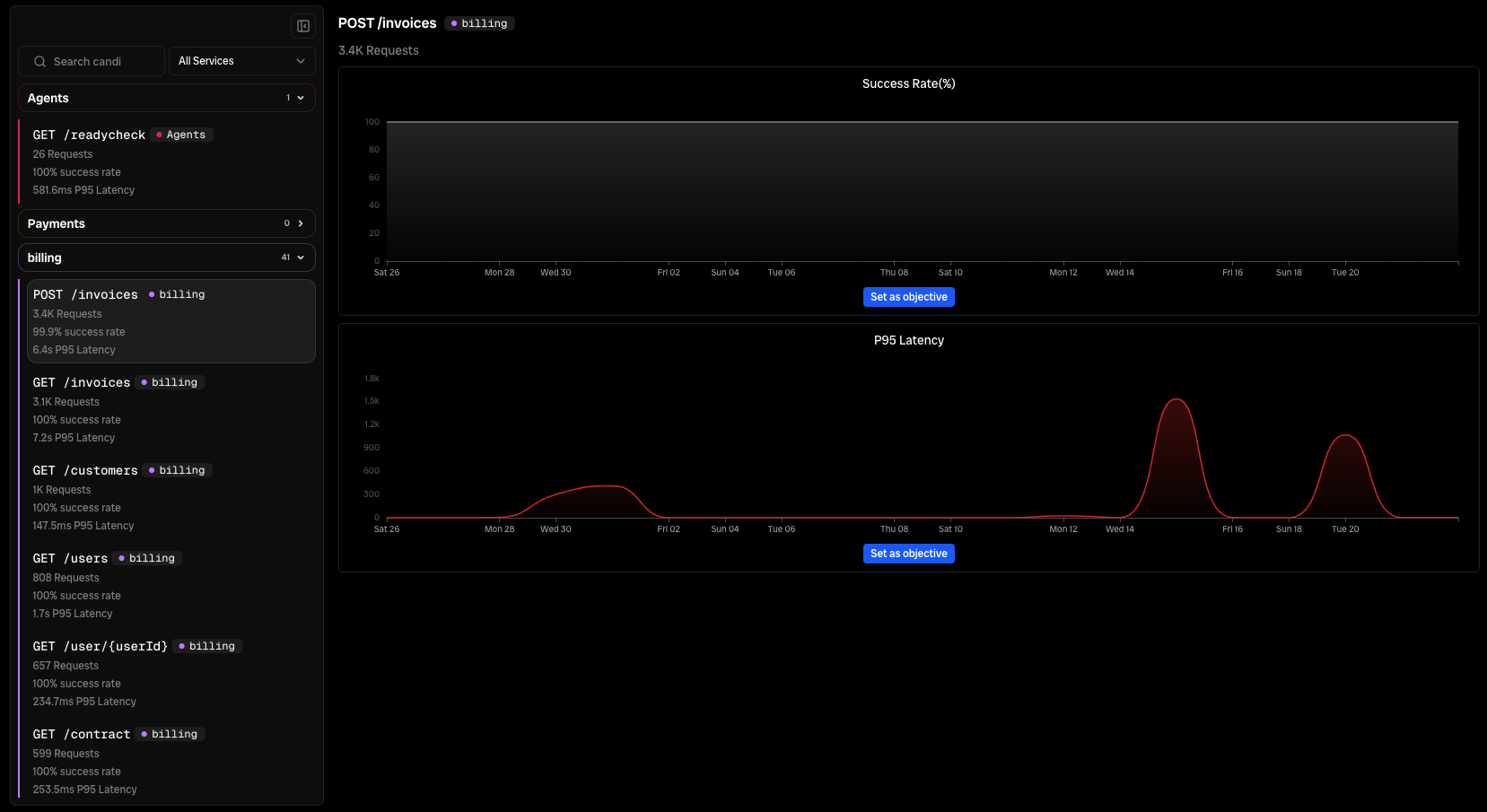
You can use these suggestions as a launching point to create the SLOs that suit your system best, or of course if you’d prefer, you can hand craft each one by creating them manually.
Each SLO suggestion has a descriptive name and suggested SLO value. If you prefer something easier for you to remember, you can always change any of the SLO information before saving.
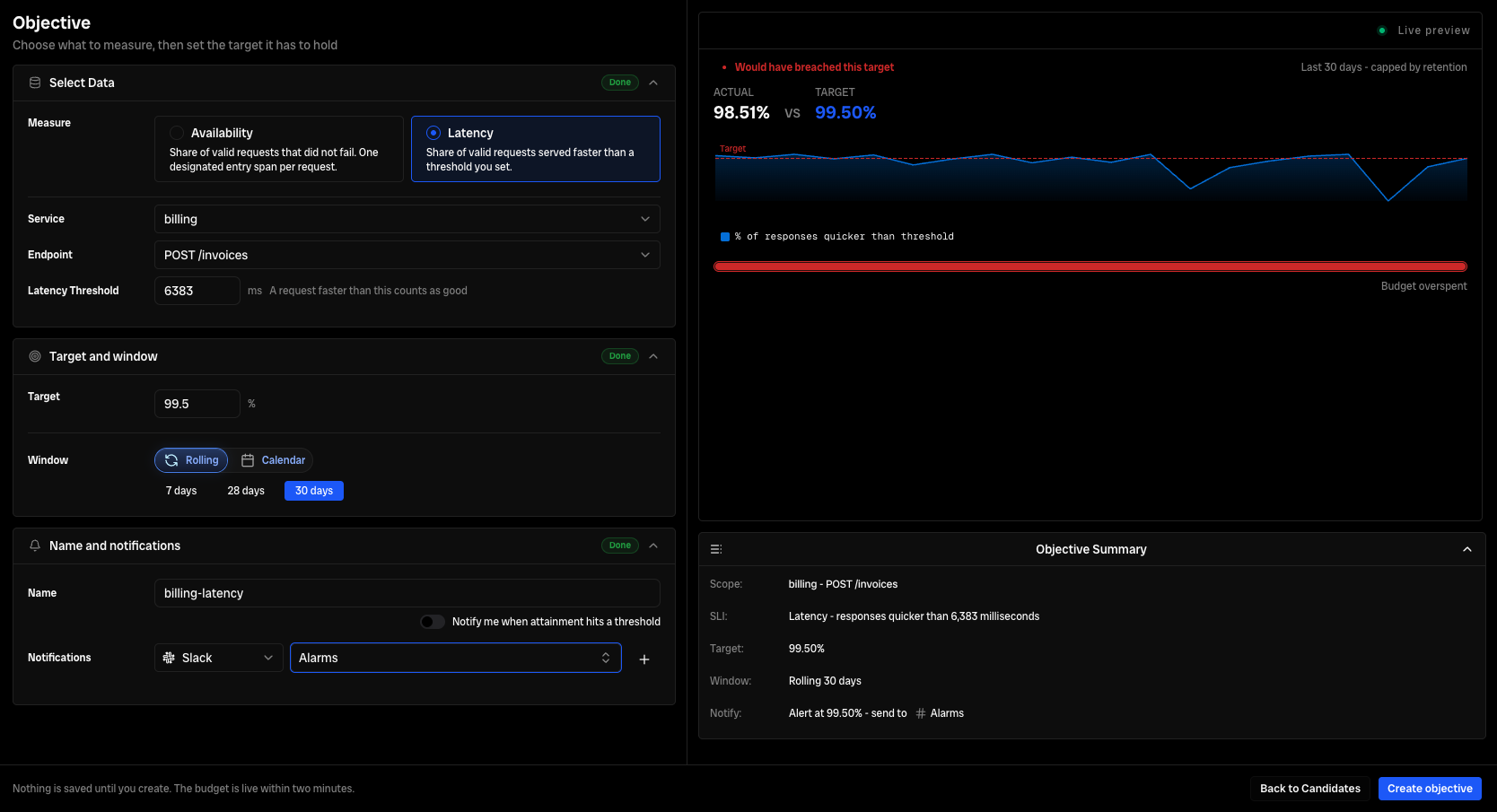
Click “Create Objective” and you’re done. You created your first SLO in just two clicks.
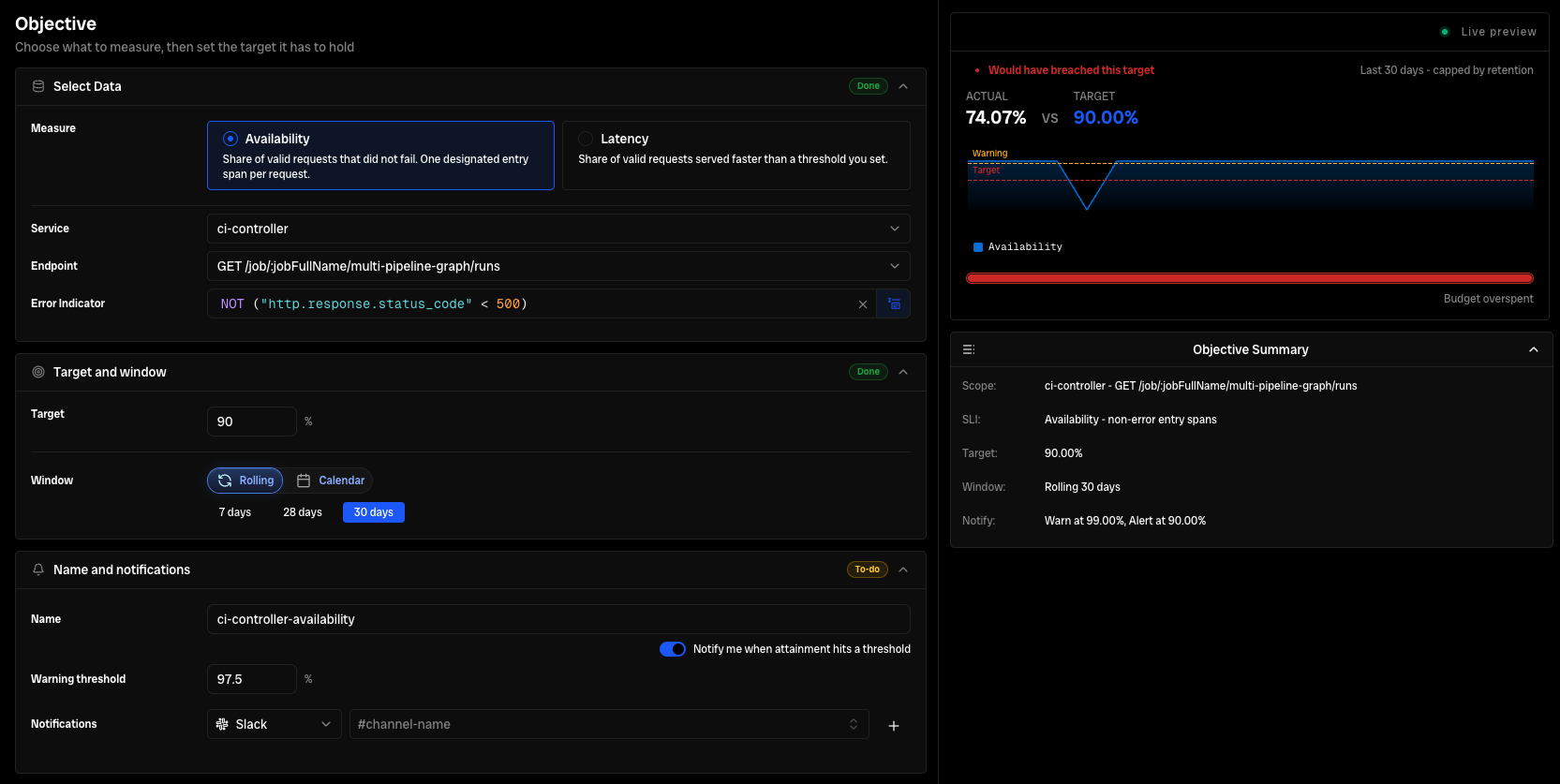
Want to track availability instead of latency or update your target? You can edit objectives in this one screen, save your settings, and Bronto will backfill the data automatically.
Setting Up Alerts Based on SLOs
Bronto users can also configure alerts and warning thresholds for each SLO. When these limits are exceeded, Bronto will notify users via the configured Slack, Webhooks, or Email targets. It’s the same exact setup as notifications for your monitors in Bronto.
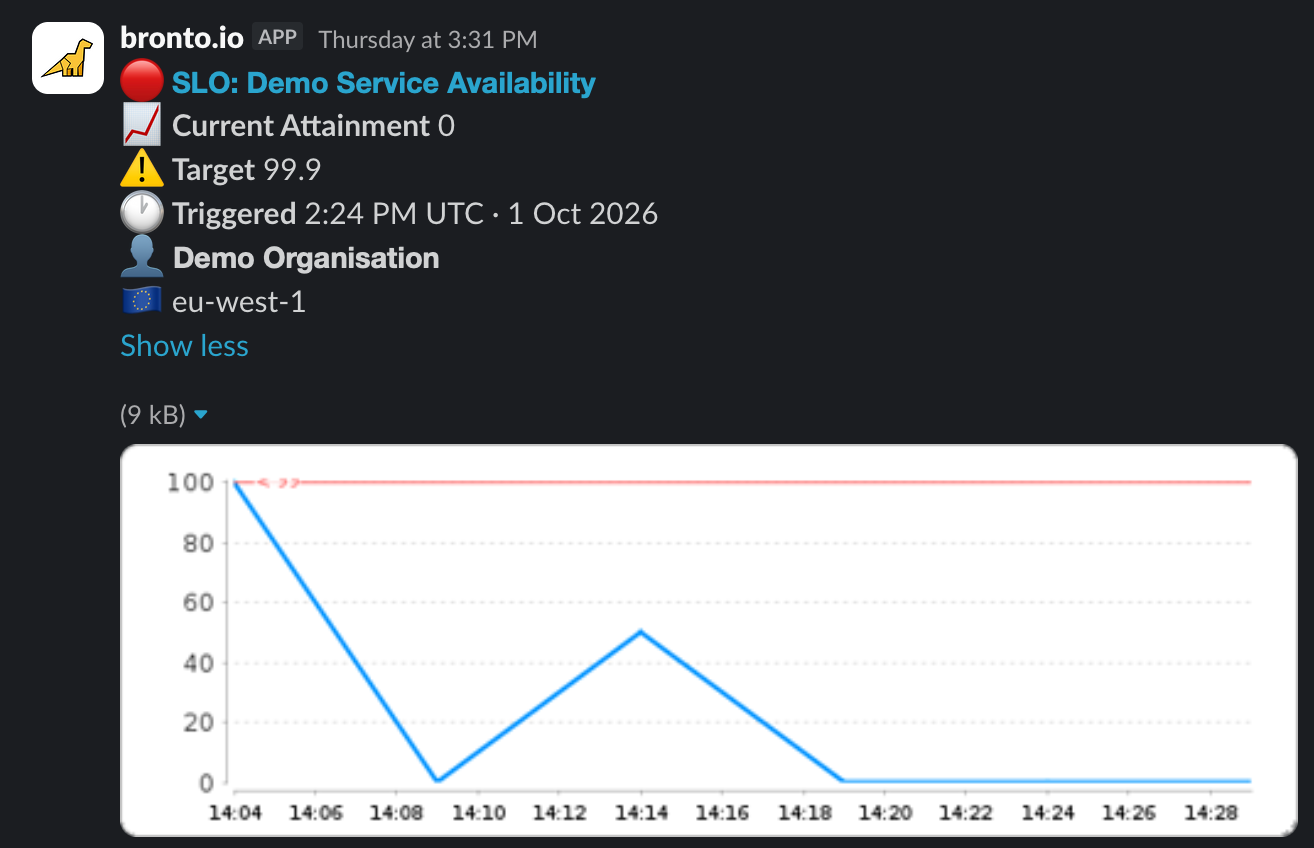
With RBAC controls in Bronto, you can allow or restrict access to the viewing, creation, and deletion of SLOs and SLIs based on user roles. This ensures that you maintain fine-grained access controls on who can influence the monitoring of your system.
Monitoring SLOs Across Your Services
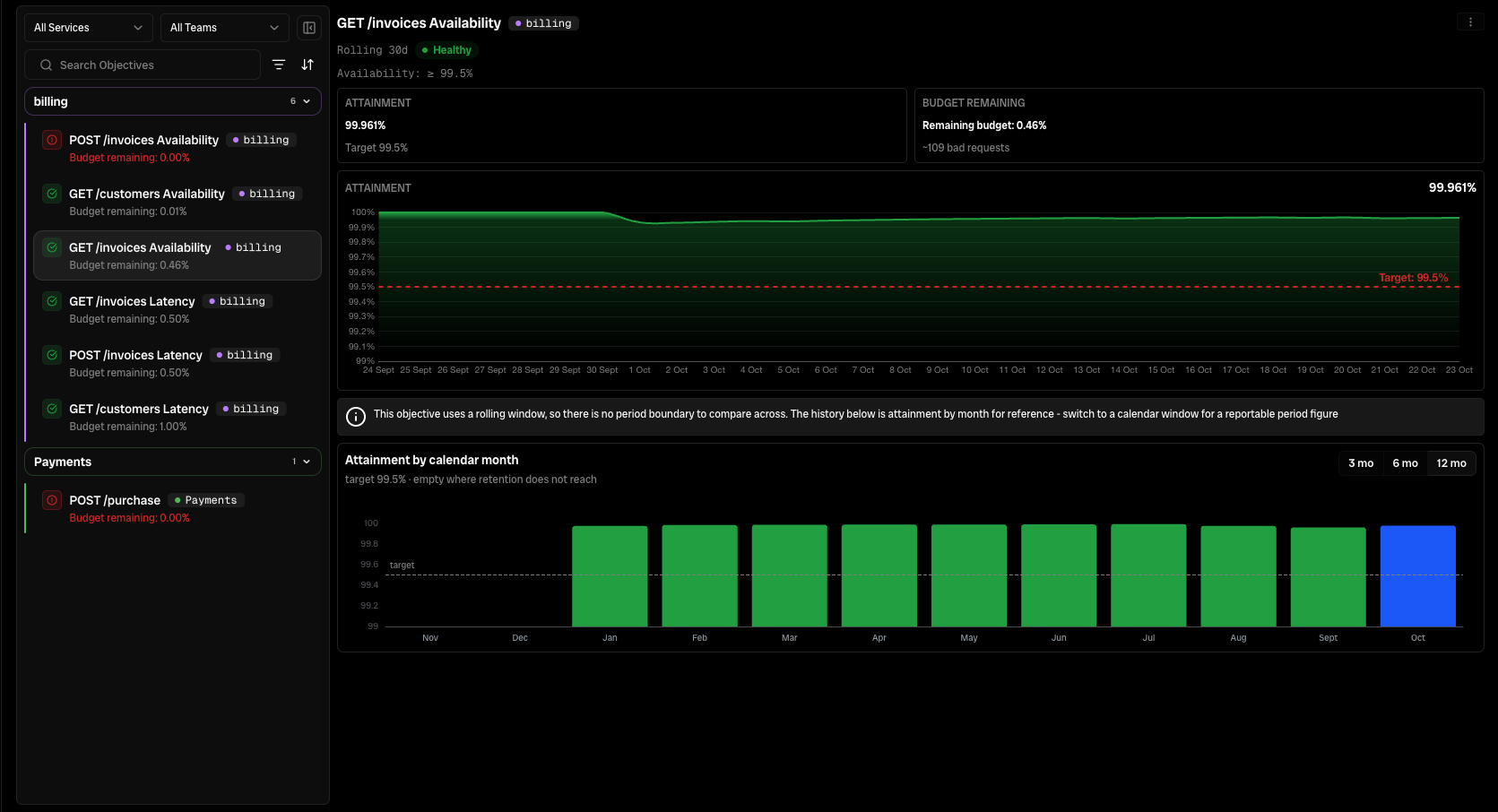
Once you have set up SLOs in Bronto, you can review them at any time in the SLOs page. You can update targets as your services become more reliable over time and add new suggested SLOs to expand your coverage.
In the Bronto UI, we highlight the SLOs that are closest to violation so you can clearly see which services need your attention, and you can sort this view by individual services or teams if you have any created.
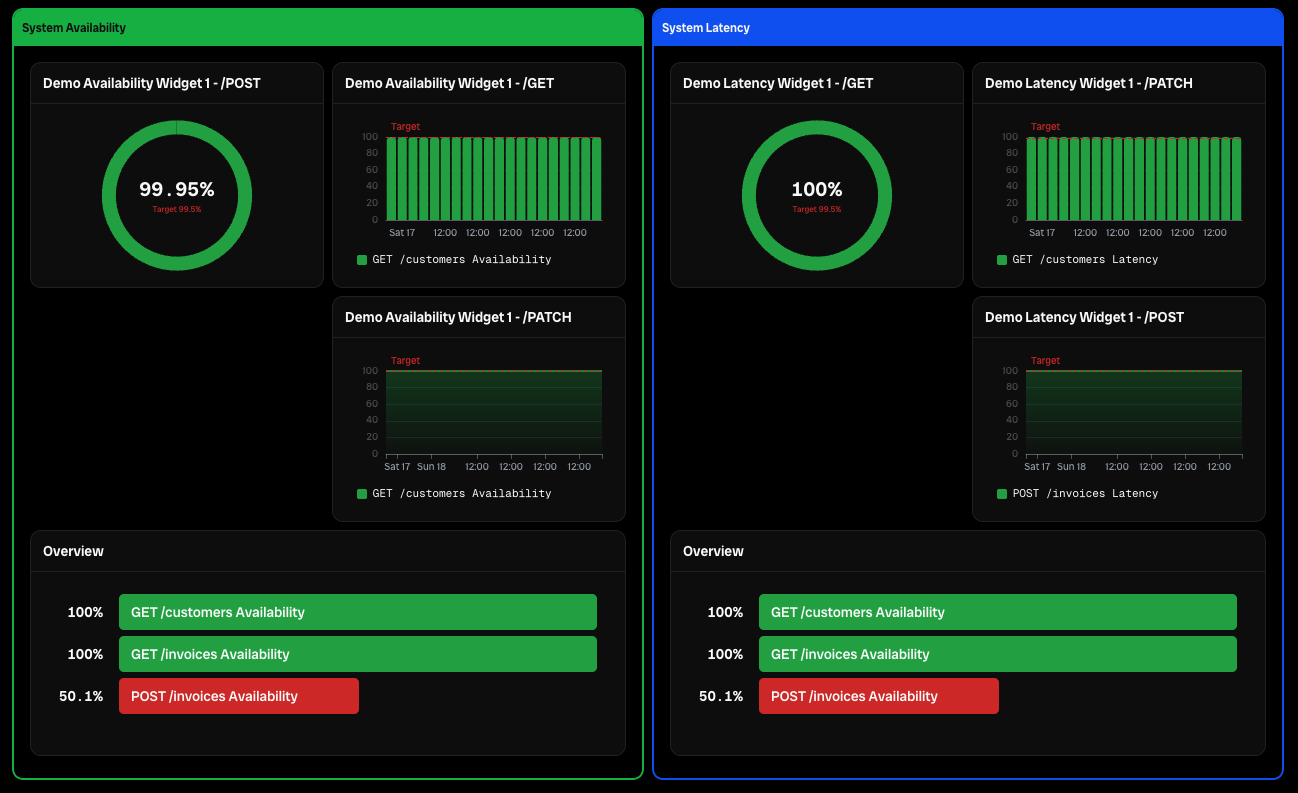
Want to be able to visualize larger parts of a complex system more easily? Bronto also allows you to add SLOs to dashboards, so it’s easy to group and visualize your system data in the way that suits you best!
Getting Started with SLOs in Bronto
If you’re already a Bronto customer, you now have access to SLOs. Just log into the platform and start creating goals for each of your services. The historical tracing data will backfill automatically.
If you’re new to Bronto and want to learn more, you can sign up for a 14-day free trial today and gain better visibility into how your services perform over time. Between 12-month hot retention and sub-second search across terabytes, you can analyze and understand your service performance faster with Bronto.
Enjoyed this post?
Share it with your team or network.

Try Bronto free for 14 days
Centralize your agent and infrastructure telemetry in one platform with sub-second search and 12-month hot retention.
- 14-day free trial
- No credit card
- Set up in minutes