
Introducing Bronto’s Open-Source Alert Investigation Agent
Nikolai Gladychev
Senior Software Engineer
The UI is dying.
AI is killing it.
Why click when you can just ask?
These kinds of things are trendy to say, and their underlying sentiment has gained popularity over the past year.
Regardless of your opinion, our user data is clear: ever since we released our MCP server, more and more users are bypassing our UI by outsourcing their tasks directly to their coding agents, like Claude Code or OpenAI Codex. And based on the feedback we get - our users are happy about it.
Using generalist agents with MCP tools is effective, but for well-defined and repeated tasks, specialised custom agents can offer distinct advantages:
Improved reliability: by constraining the tools and reasoning paths your agents can use, you can prevent failures that happen due to your agents picking the wrong tools, following bad logic, hallucinating, or getting stuck in loops.
Better token efficiency: you can save on tokens by restricting the context window to exactly what your agents need at every step, you can reduce the total LLM calls your agents make, and thanks to the improved reliability - you can use cheaper models.
Faster execution: your agents can deliver results more quickly because they are making fewer LLM calls and spending less time recovering from errors.
Absolute control: you can guarantee strict limits on your agents’ actions and precisely define where human approval is required.
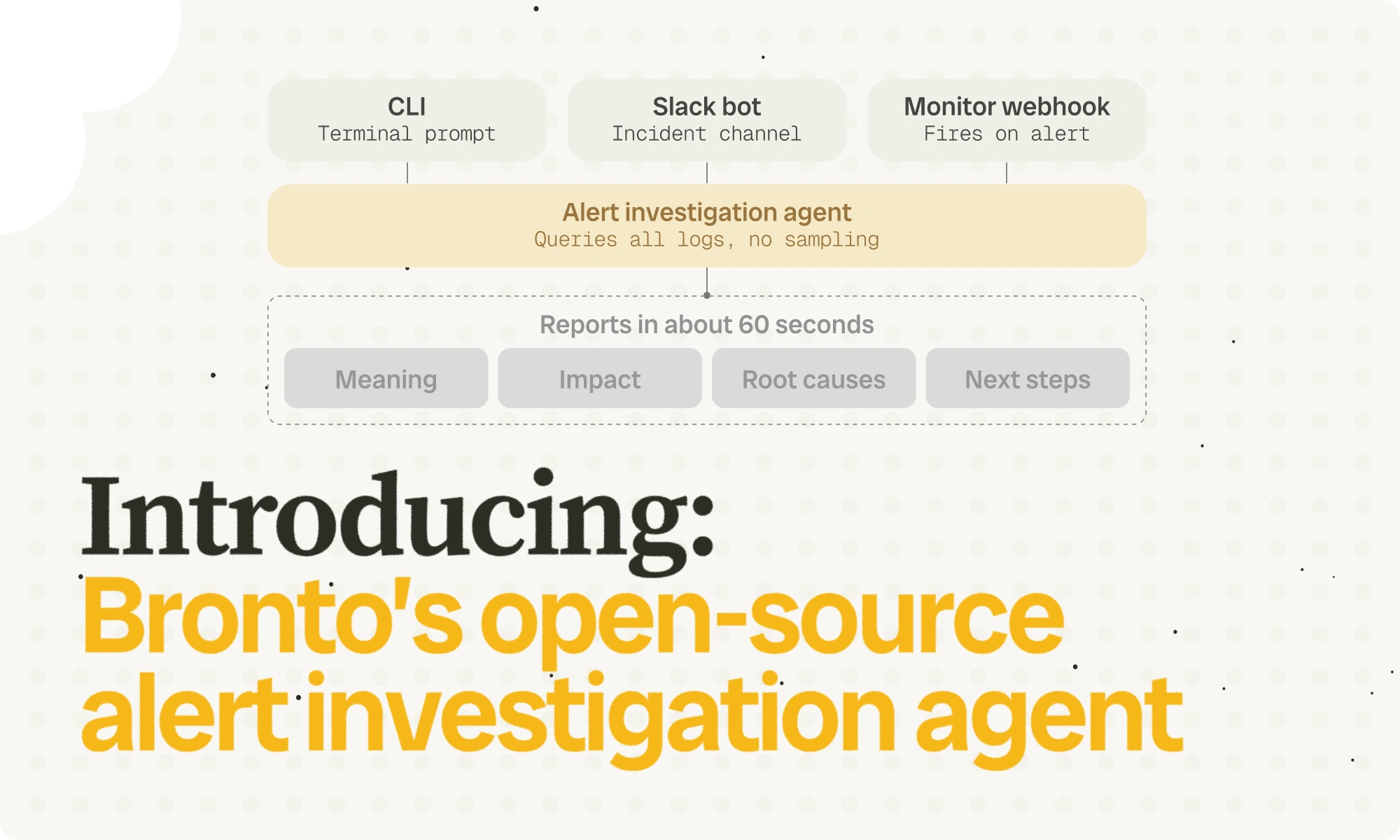
It is becoming increasingly common for teams to write specialised agents for their SRE tasks. And we want to make it effortless for people to write their own custom agents with Bronto. That’s why we’ve just released an open source agent that replicates the Alert Investigation feature we originally built into our platform, alongside the Bronto SDK for Python. We also recently demonstrated how a basic LangGraph agent could leverage our MCP server. This release serves two distinct purposes:
A standalone tool: the agent automatically investigates triggered alerts from Bronto Monitors and generates high-quality reports featuring root-cause analysis and suggested remediations.
A reference architecture: It acts as a working blueprint to show you (or your agent) the best patterns for integrating Bronto into your LangGraph agents.
Below, I’ll walk you through what the agent does and how to use it.
Got Paged Again? Stop Floundering. Run The Investigation Agent.
Our log-based alert investigation agent only takes a few minutes to try out. All you need is a Bronto API key, credentials for your preferred LLM provider (either OpenAI, Anthropic, or AWS Bedrock), and either Python + uv or Docker installed.
Then grab the GitHub project and launch the agent in interactive mode directly from your terminal, e.g., with:
uv run bronto-investigator --provider anthropic --model-id claude-sonnet-5or if using Docker, build the image with “docker build -t investigator .” and execute with:
docker run --rm -it -e BRONTO_API_KEY -e BRONTO_REGION -e ANTHROPIC_API_KEY investigator investigator --provider anthropic --model-id claude-sonnet-5Once launched, the CLI asks you to describe your alert in plain English, for example, "elevated 500s on my API gateway." (This works for both active incidents and historical events from weeks ago). The agent then automatically finds the alert in your Bronto audit logs, asks for your confirmation, and lets you optionally attach custom playbooks or service context.
Actionable Reporting in ~60 Seconds
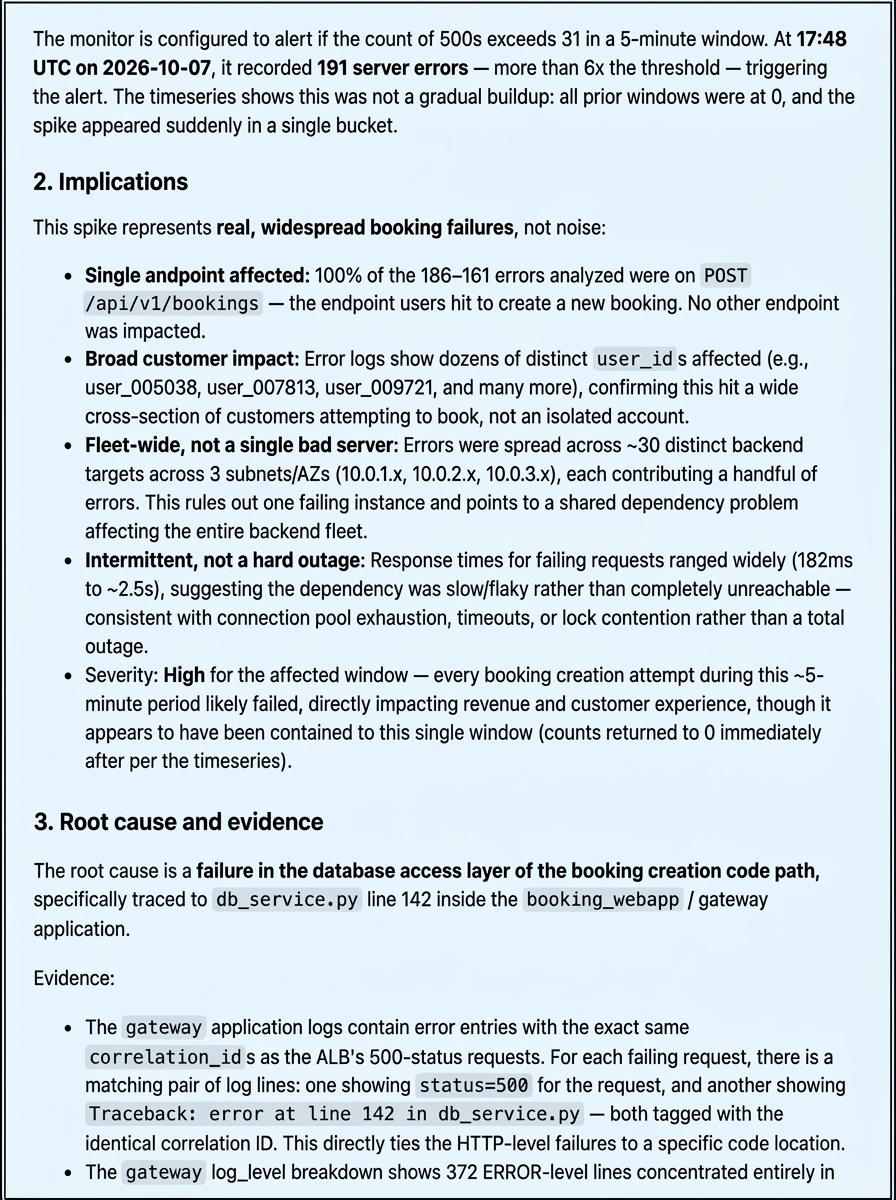
Using Claude Sonnet 5 on default settings, it takes about a minute to hand you a complete report covering:
What does this alert mean in simple terms?
What are the implications & the impact of this alert?
What are the likely root causes of this alert?
Suggested next steps & remediations.
If you need deeper reasoning, you can raise the --max-model-calls parameter to let the agent think harder and investigate for longer. Importantly, unlike tools that guess based on a sample of logs, our agent runs targeted queries against all relevant log events - never sampling.
Total Agent Observability Natively in Bronto
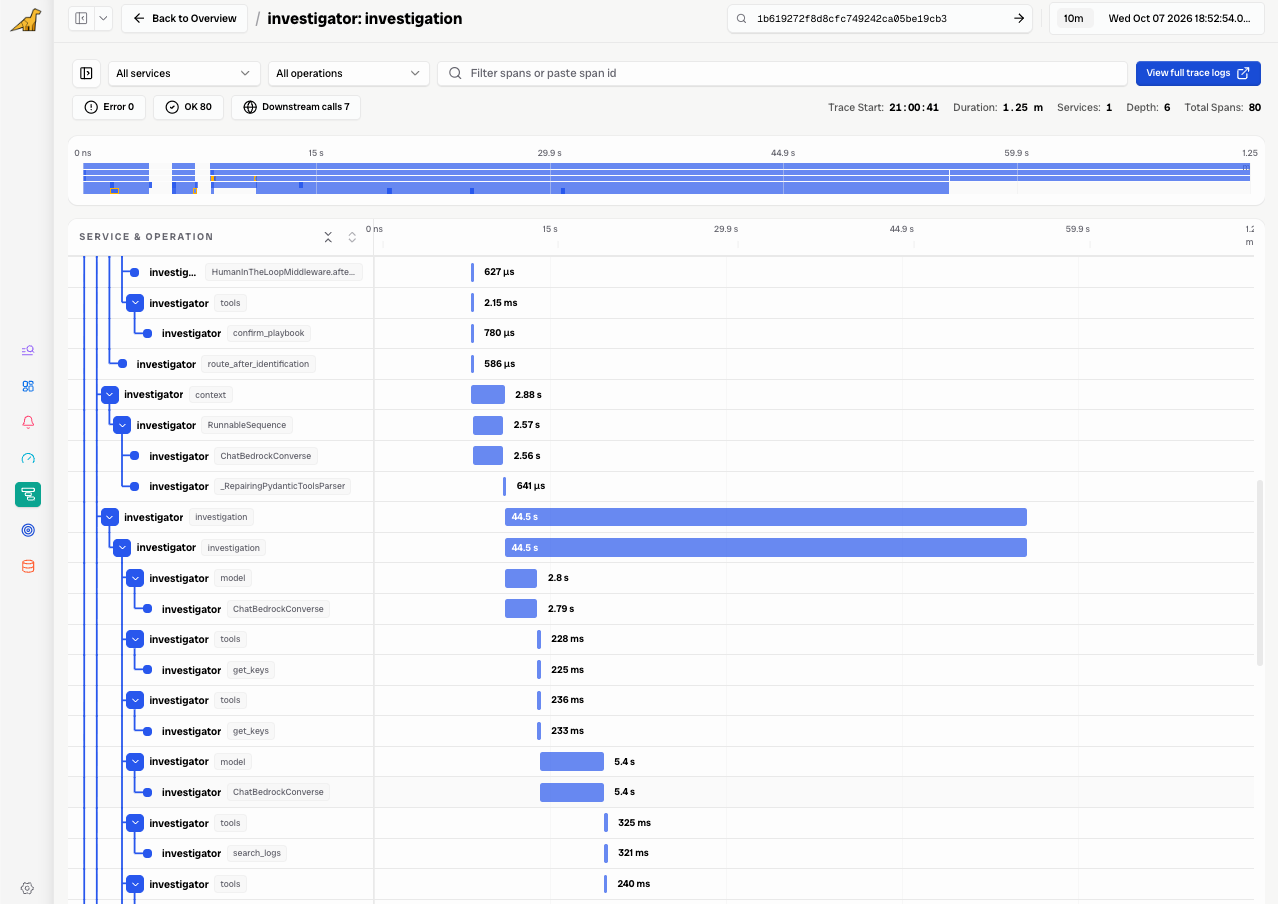
You are never flying blind. By setting OTEL_EXPORTER_OTLP_ENDPOINT=https://ingestion.<region>.bronto.io and OTEL_EXPORTER_OTLP_HEADERS=x-bronto-api-key=<your Bronto api key>, you can push the agent's tracing data straight into Bronto to examine and monitor its exact reasoning steps.
Ready for Production?
When you are ready to move beyond the CLI, we provide a Dockerfile so you can host the agent as a container on any platform. This unlocks two powerful workflows:
Interactive Slack Bots: Invoke the agent directly from your incident response channels.
Event-Driven Automation: Configure your Bronto monitors with a webhook to automatically trigger the agent the moment an alert fires.
You can find detailed information on how to deploy the agent in the README, including the configurations you need for your slack app, and how you can set up an automated webhook with Bronto to automatically invoke the agent.
Get Started Today
Custom SRE agents offer unmatched speed, efficiency, and control; but building them from scratch can be painful. We open-sourced the Alert Investigation agent to give you a massive head start. Use it right out of the box to investigate your Bronto monitors, or tear it apart to see our recommended patterns for integrating Bronto with LangGraph.
Get the code on GitHub: https://github.com/bronto-community/bronto-alert-investigation-agent
Sign up for a Bronto free trial here and give the agent a spin, don’t forget to let us know what you build!
Enjoyed this post?
Share it with your team or network.

Try Bronto free for 14 days
Centralize your agent and infrastructure telemetry in one platform with sub-second search and 12-month hot retention.
- 14-day free trial
- No credit card
- Set up in minutes